





Uncategorized
Motorola DP1400 Replacement Battery: A Practical Buying Guide
Oct
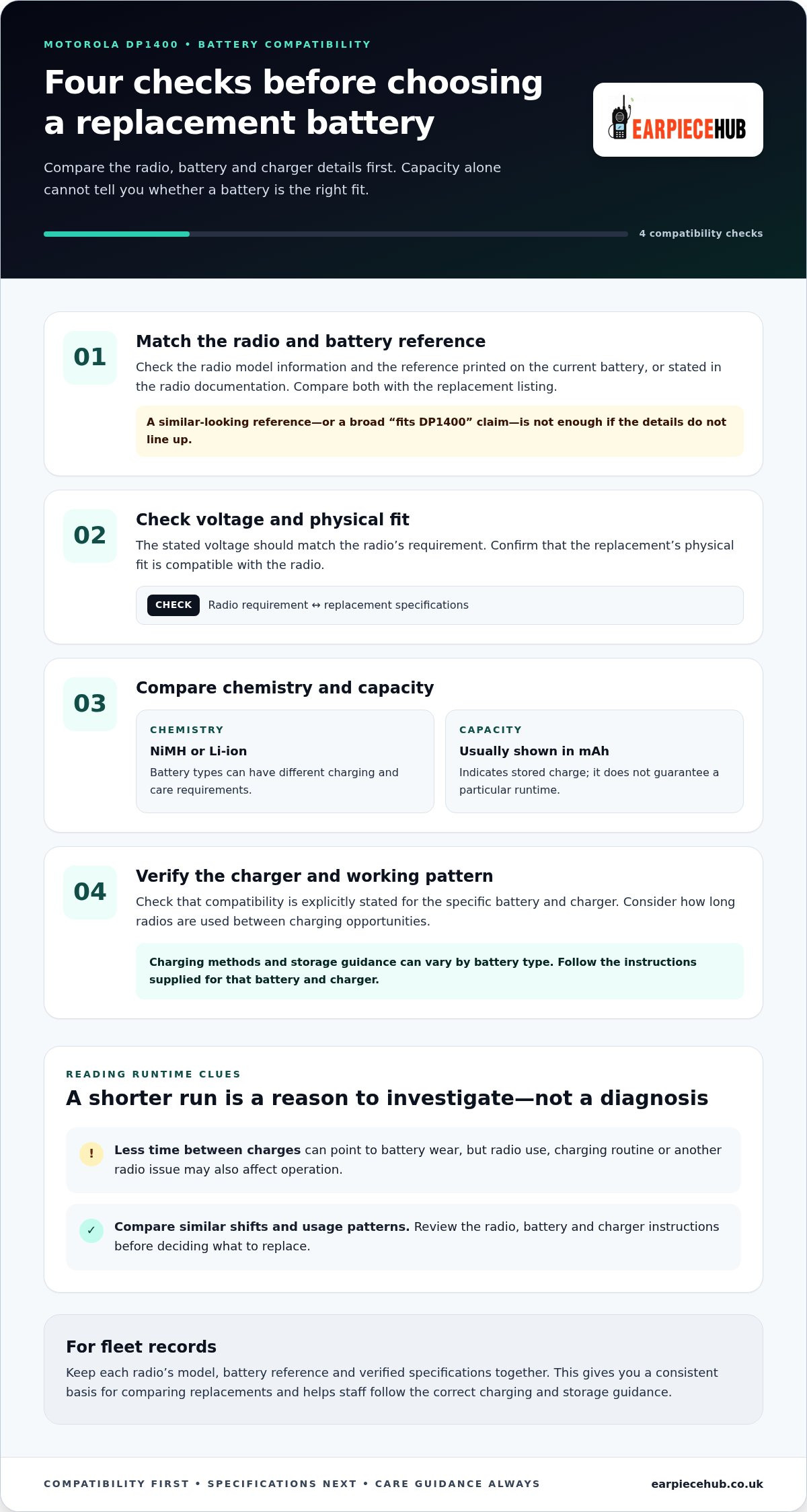
A higher capacity figure does not automatically make a battery the right fit for your radio. When choosing a Motorola DP1400 replacement battery, start by matching the radio model and the reference on its current battery. Then check the replacement’s specifications and charging compatibility. This gives you a more reliable basis for comparing options than the headline capacity alone.
That matters whether your radio is used throughout a shift or only occasionally. This guide explains what to check on the battery and radio, how to compare chemistry, capacity and voltage, and why charger compatibility matters. It also covers how to judge runtime claims against your working pattern, so you can choose a suitable replacement and keep your Motorola DP1400 ready for use.
Key Takeaways
- Shorter runtime or charging difficulties can be a reason to review the battery, but they do not prove it is the cause.
- Match the Motorola DP1400 replacement battery reference to your radio before comparing options.
- Use the stated chemistry, capacity and voltage to assess whether a battery suits your radio and working pattern.
- Follow the battery and charger instructions to help keep your radio ready for use.
When does a Motorola DP1400 replacement battery make sense?
The battery powers a Motorola DP1400 two-way radio when it is away from a fixed power source. If your team relies on radios throughout a shift, a battery that no longer holds charge as expected can affect readiness. A rechargeable battery stores energy for later use, but its performance depends on its type, condition and use.
Battery wear, runtime changes and radio readiness
If a radio runs for less time than usual or needs charging more often, review the battery and the way it is being charged. Compare similar shifts and usage patterns, rather than treating one short run as proof that the battery has failed. Radio use can affect runtime, and a power issue may have more than one cause.
Quick distinction: Reduced time between charges can point to battery wear, while a radio fault may affect operation for another reason. Neither symptom is a diagnosis on its own. Check the radio and battery instructions, and consider whether the charger and charging routine follow the manufacturer’s guidance before deciding what to replace.
Do not assume that every charger or charging routine suits every battery. Check the guidance for the specific battery and charger, particularly if you are changing battery chemistry. If the radio behaves unexpectedly, assess its operation as well as the battery. This helps you avoid replacing a battery when the issue may lie elsewhere.
How to choose a compatible Motorola DP1400 replacement battery
Start with the radio’s model information and the reference printed on the existing battery or stated in the radio documentation. Compare those details with the replacement listing. A similar-looking reference is not enough. If details are unclear or conflict, resolve them using reliable product documentation before buying.
Which battery specifications should DP1400 users compare?
Capacity, usually shown in mAh, indicates how much charge a battery can store. It helps you compare options, but does not guarantee a particular runtime. Voltage describes the battery’s electrical output and should match the radio’s stated requirement. Chemistry matters because different battery types, such as NiMH and Li-ion, can have different charging and care requirements. Check the specifications for the specific replacement rather than assuming they match another battery.
Compatibility checklist: Match the radio model and battery reference, then check the stated voltage, chemistry, physical fit and compatibility with your charger.
| Compare | What to check |
|---|---|
| Fit | Radio model and battery reference match the listing. |
| Specifications | Stated chemistry, capacity and voltage suit the radio and your needs. |
| Charger | Compatibility is explicitly stated for that battery and charger. |
| Work pattern | Consider how long radios are used between charging opportunities. |
For a fleet, record the model, battery reference and verified specifications for each radio. This makes it easier to compare replacements consistently and avoids choosing on capacity alone. Do not rely only on a broad “fits DP1400” claim if the details do not line up. Earpiece Hub supplies a DP1400 replacement battery for radio users seeking a compatible option.
Buying and caring for a Motorola DP1400 replacement battery
A consistent buying process helps reduce the risk of ordering a battery that does not match the radio or charging setup. For fleet purchasing, keep the battery reference and verified specifications with the equipment records. That gives you a clear point of comparison when you need another replacement.
- Confirm the radio model: Check the radio label or its documentation.
- Match the battery reference: Compare it with the replacement listing, not just the radio family name.
- Review the stated specifications: Check the battery details and charger compatibility against the relevant instructions.
- Select the replacement: Choose an option once the model and key details align.
Before ordering and after fitting the replacement
Before ordering, resolve unclear or conflicting model references instead of relying on appearance. Once the battery is fitted, follow the instructions supplied for that battery and charger. Charging methods and storage guidance can vary by battery type, so do not assume that a routine suited to one battery applies to another.
Keep the product guidance accessible to the people who manage and use the radios. A shared reference helps staff follow the same charging and storage instructions. If performance differs from expectations after fitting, review the radio, battery and charger guidance before deciding what caused the issue.
Earpiece Hub supplies a replacement battery for the Motorola DP1400. The Motorola DP1400 replacement batteries are a practical option to consider once you have matched the radio model and battery reference.
Keep your DP1400 ready for the next shift
Choose a Motorola DP1400 replacement battery by checking the radio model and battery reference first, then comparing the stated specifications and charger guidance. Reduced runtime is a reason to investigate, but it does not prove the battery is the only cause. Follow the instructions for the battery and charger you use.
Earpiece Hub specialises in professional radio communication accessories and supplies replacement batteries for the Motorola DP1400. Use the checks in this guide to compare your requirements with the Motorola DP1400 replacement batteries available from Earpiece Hub.
Match the battery to your radio and charging setup, then follow its care guidance to help keep the radio ready for use.
Frequently Asked Questions
Is a replacement battery compatible with every Motorola DP1400 radio?
Do not assume every battery described as suitable for the DP1400 fits every radio or charging setup. Compare the radio’s model details and the reference on its existing battery with the replacement listing. If the references differ or are unclear, verify them against reliable product documentation before ordering.
How can I check which replacement battery fits my Motorola DP1400?
Check the model information on the radio and the reference printed on its current battery, then compare both with the replacement listing. Review the stated chemistry, voltage and capacity as well. A Motorola DP1400 replacement battery should match the radio’s requirements, so do not rely on appearance or a broad compatibility claim alone.
Can I use my existing charger with a replacement DP1400 battery?
Compatibility depends on the specific battery and charger. Check the instructions or product information for both before charging, especially if the replacement uses a different battery chemistry. A charger suitable for your current battery may not suit every replacement. Follow the guidance provided for the battery and charging equipment.
What can cause a Motorola DP1400 battery to lose runtime?
Battery condition can contribute to shorter operating time, but it is not the only possible cause. Radio use and charging routines can also affect how long it stays ready between charges. Compare performance under similar working conditions, then review the radio, battery and charger instructions. Reduced runtime is a reason to investigate, not a diagnosis on its own.
