





Uncategorized
Improving Radio Communication Clarity: The Professional Guide to Crystal Clear Audio
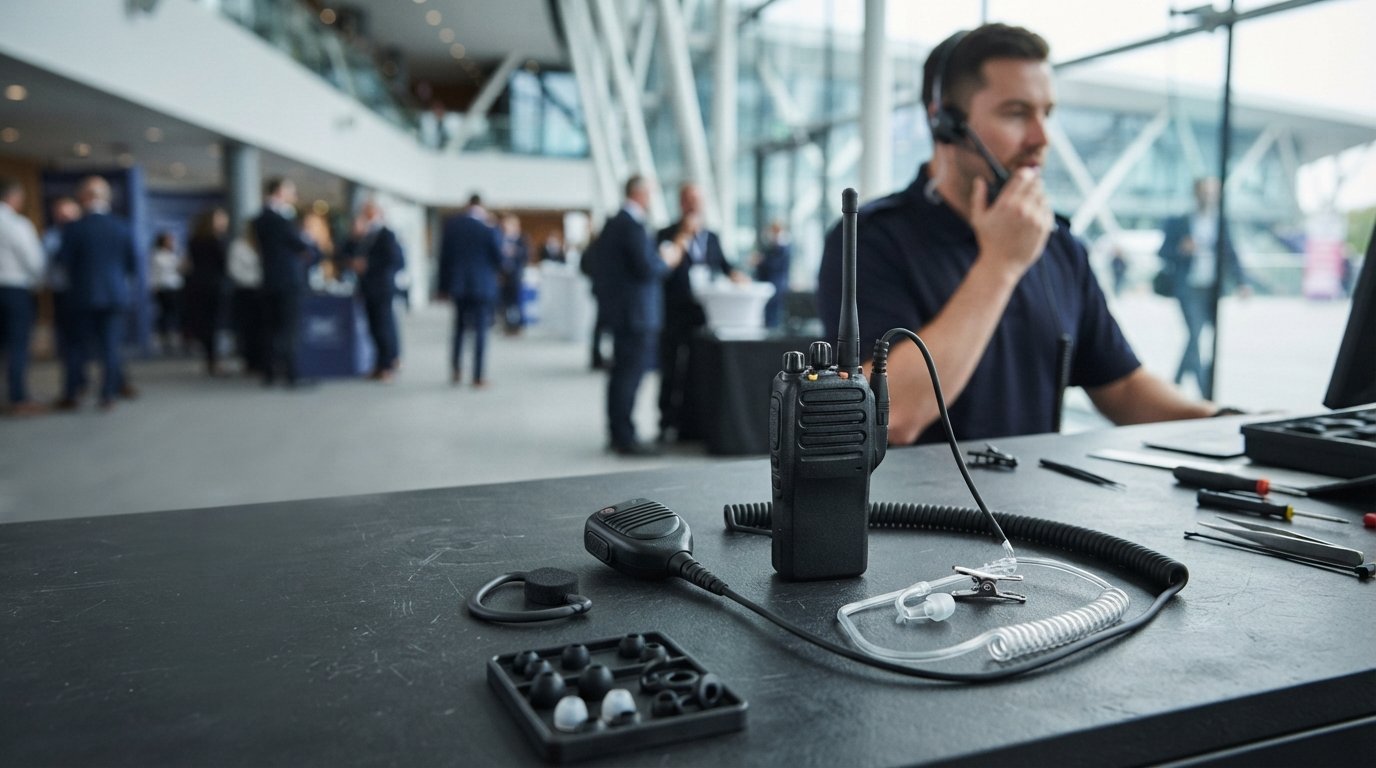
Sep
A single muffled syllable during a security breach isn’t just a technical glitch; it’s a critical failure that compromises team safety. You’ve likely experienced the frustration of shouting over background noise or missing a vital update because of a crackling connection. It’s common to feel that your hardware is failing you when transmissions become garbled, especially in high-pressure environments where every second counts. Improving radio communication clarity doesn’t always require a complete system overhaul, but it does demand a professional approach to both equipment and protocol.
We’ll show you exactly how to eliminate interference and ensure every message is heard perfectly amongst your team. You’ll discover the technical steps to optimise your audio, from the “Press, Pause, Speak” rule to the importance of IP68-rated accessories. We’ll also explore how regular maintenance of acoustic tubes and ear tips can lower your replacement costs whilst keeping your transmissions sounding professional. By the end of this guide, you’ll understand why the earpiece is the most critical link in your communication chain and how to keep it performing at its peak.
Key Takeaways
- Identify whether your audio issues stem from environmental noise or hardware degradation to apply the correct technical fix for your team.
- Discover why choosing high-quality acoustic tube or D-shape earpieces is essential for improving radio communication clarity in loud or covert environments.
- Extend the lifespan of your gear and ensure audio fidelity by regularly inspecting acoustic tubes for condensation and replacing worn ear tips.
- Adopt the “Think, Key, Speak” protocol to prevent clipped messages and ensure clear, professional transmissions during high-pressure incidents.
Identifying the Root Causes of Poor Radio Audio
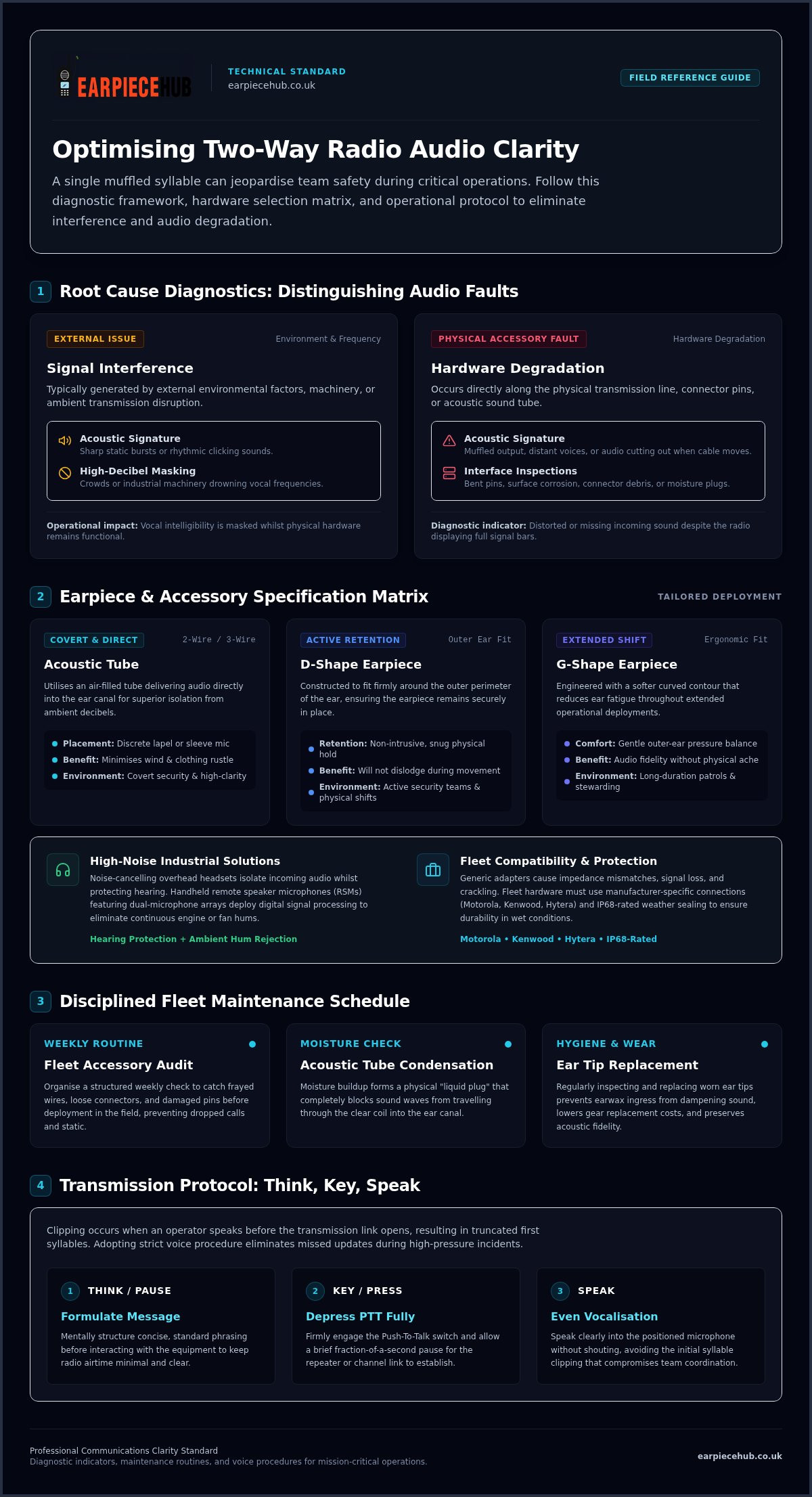
Professional audio clarity is defined by a consistent frequency response that preserves the intelligibility of human speech whilst overcoming ambient decibel levels. Improving radio communication clarity starts with a precise diagnosis. You must distinguish between signal interference, which sounds like sharp static or rhythmic clicking, and audio degradation, which results in muffled or distant voices. Static isn’t the only problem. Whilst interference is often external, degradation is typically a hardware issue. By identifying these specific faults, you take the first step toward improving radio communication clarity across your entire fleet. This process ensures that your team remains connected even in the most challenging operational environments.
Diagnosing Signal vs. Hardware Failure
If your radio indicates a full signal bar but the incoming sound is distorted, the fault usually lies with the connected accessory. Check the connector first. Inspect the radio interface for bent pins, corrosion, or debris. As RF component specialists at Telco Antennas note, degraded or poorly seated connectors are a frequent source of signal attenuation and audio distortion. Damaged internal wiring often manifests as intermittent audio that cuts out when the cable is moved. Moisture buildup within acoustic tubes is another common culprit; condensation forms a liquid plug that effectively blocks sound waves from reaching the ear canal.
The Impact of Background Noise
High-decibel environments like industrial sites or crowded venues create a masking effect that drowns out transmissions. Standard microphones often struggle to isolate the user’s voice from machinery or wind noise. Even with professional hardware, adhering to voice procedure protocols is essential to ensure messages aren’t lost amongst the din. Effective communication relies on prioritising vocal frequencies whilst rejecting chaotic ambient sounds.
Selecting the Best Radio Accessories for Audio Optimisation
Selecting the right hardware is a fundamental step in improving radio communication clarity. Generic accessories often fail to match the impedance or physical connection requirements of professional radios, leading to low volume or distorted output. You must ensure your chosen peripheral is specifically compatible with your fleet, whether you use Motorola, Kenwood, or Hytera systems. A secure, manufacturer-specific connection prevents the crackling and signal loss associated with loose-fitting universal adapters.
Acoustic Tubes vs. Traditional Earpieces
Acoustic tube earpieces are the industry standard for covert operations and high-clarity needs. These devices use an air-filled tube to deliver sound directly into the ear canal, providing superior isolation from ambient noise compared to standard buds. For teams requiring maximum flexibility, 2-wire and 3-wire systems are ideal. These configurations allow for discrete microphone placement on a lapel or inside a sleeve, ensuring the mic is always positioned to capture clear speech without picking up excessive wind or clothing rustle.
Noise-Cancelling Technology
In loud industrial environments or crowded event spaces, standard earpieces may not suffice. High-quality noise-cancelling overhead headsets protect the user’s hearing whilst isolating incoming audio. For those who prefer handheld operation, remote speaker microphones (RSMs) with dual-microphone arrays are highly effective. These systems use digital signal processing to filter out steady environmental hums, such as engines or fans. Discover our range of professional earpieces designed for maximum clarity.
G-shape and D-shape earpieces offer a balance between comfort and performance for long shifts. The D-shape fits securely around the outer ear, making it a favourite for active security teams who need gear that stays in place during physical activity. The G-shape provides a softer fit that reduces ear fatigue during extended deployments without sacrificing audio fidelity. Choosing the correct form factor for your environment is a simple yet effective method for improving radio communication clarity across your team.
Maintenance Routines to Prevent Audio Degradation
Improving radio communication clarity requires more than just high-end hardware; it demands a disciplined maintenance regime. Neglecting your accessories leads to a gradual decline in audio quality that often goes unnoticed until a critical message is missed amongst the noise. Organise a weekly inspection schedule for all fleet accessories to catch frayed wires or loose connectors before they fail in the field. This proactive approach ensures your team stays connected without the distraction of intermittent static or dropped audio.
Cleaning Your Acoustic Tube
Acoustic tubes are prone to moisture buildup from condensation and earwax ingress. These physical barriers significantly dampen sound waves, whilst also creating a hygiene risk. To clear moisture, disconnect the tube from the transducer and use a puff of compressed air. If the plastic has discoloured or hardened, cleaning is no longer effective. At this stage, you must replace the tube to restore original audio fidelity.
Replacing Critical Components
Ear tips are consumable items that directly affect both hygiene and sound isolation. A worn ear tip fails to create a proper seal, allowing ambient noise to leak in and degrade the signal. Similarly, failing batteries, such as those in the Motorola DP1400, can cause the audio circuit to underperform. When voltage levels drop, the transmitter’s power output fluctuates, leading to weak transmissions and poor reception.
Consistent power and a clear physical path for sound are vital for professional transmissions. Keeping a stock of genuine replacement parts is a cost-effective way of ensuring your equipment never lets you down. Shop replacement batteries and ear tips to keep your fleet in peak condition.
Professional Communication Protocols for Absolute Clarity
Improving radio communication clarity depends as much on human behaviour as it does on technical specifications. Even the most advanced hardware fails if user protocol is sloppy. Training your team in standardised verbal discipline is as vital as the gear itself. Conduct regular “radio checks” at the start of every shift to verify audio quality amongst the whole team. This ensures that every unit is functional before deployment.
The Art of the Push-to-Talk (PTT)
Master the “Think, Key, Speak” method to avoid clipping the start of transmissions. Digital networks often have a slight delay as the radio handshakes with the repeater to assign a channel. If you speak immediately, you’ll clip the first syllable, forcing a repetition. Pause for a split second after pressing the PTT button. This simple habit is a cornerstone of improving radio communication clarity. Keeping messages brief and concise prevents channel congestion and reduces the risk of “mic-fright”.
Microphone Positioning and Behaviour
Position the microphone correctly, ideally 2-3 inches from the mouth, to prevent distortion. Holding it too close causes breathy “popping” sounds; too far, and the background noise takes over. Shield the mic from wind by turning your back to the breeze or using your hand as a buffer. Adjust your radio’s volume to find the “sweet spot” where incoming audio is clear but doesn’t crackle through the transducer.
Use standard radio phrases to reduce the need for repetition. In high-noise environments, idiosyncratic language leads to confusion. Standardised prowords ensure that even when the signal is weak, the intent is understood. Equip your team with reliable radio accessories from Earpiece Hub today.
Secure Your Team’s Communication Network
Achieving crystal clear audio is a continuous process that combines technical precision with disciplined operational habits. By distinguishing between signal interference and hardware degradation, you can apply the right fixes before they impact your mission. Remember that even the best radio relies on the quality of its peripherals; a fresh acoustic tube or a well-maintained battery is often the difference between a missed instruction and a successful operation. Focusing on these technical and behavioural details is the most cost-effective way of improving radio communication clarity across your entire fleet.
As a specialist UK retailer since 2015, Earpiece Hub provides expert support for all major radio brands. We understand the high-stakes nature of your work and offer next-day shipping on essential accessories to ensure you’re never without the gear you need. Upgrade your team’s audio with professional earpieces from Earpiece Hub today. Take control of your audio quality and ensure every message is heard perfectly.
Frequently Asked Questions
How can I make my radio sound clearer in a loud environment?
You can achieve better results by using specialised noise-cancelling overhead headsets or remote speaker microphones with dual-mic technology. These devices filter out background hums whilst prioritising your voice. Additionally, switching to an acoustic tube earpiece provides physical isolation from ambient noise. Improving radio communication clarity in chaotic venues often requires a combination of high-quality hardware and shielding the microphone from direct wind or machinery noise with your hand or clothing.
Why does my radio earpiece sound muffled or quiet?
A muffled sound is usually caused by a physical blockage within the acoustic tube, such as moisture buildup from condensation or earwax ingress. This creates a barrier that prevents sound waves from travelling effectively to your ear canal. Check the connector pins for debris or corrosion as well. If the tube appears discoloured or hardened, it has likely reached the end of its functional life and requires immediate replacement to restore audio fidelity.
How often should I replace my acoustic tube and ear tips?
You should inspect these components weekly, but a typical replacement cycle is every three to six months depending on the intensity of use. Ear tips are consumable items that should be changed more frequently for hygiene and to maintain a proper seal. Once an acoustic tube becomes brittle or shows signs of moisture that cannot be cleared, it will significantly degrade your audio quality and must be replaced with a fresh unit.
Does a noise-cancelling headset really improve communication clarity?
Yes, professional noise-cancelling headsets are highly effective at improving radio communication clarity by isolating the speaker’s voice from steady-state background noise. They use digital signal processing to identify and suppress frequencies from engines, sirens, or crowds. This ensures that your team hears only the intended message rather than the surrounding environment. For industrial settings, these headsets also provide vital hearing protection whilst maintaining clear incoming audio through high-quality transducers.
Why is my radio battery affecting the audio quality of my transmissions?
Low battery voltage directly impacts the power supply to the radio’s audio and transmission circuits. When a battery, such as those for the Motorola DP1400, nears the end of its charge or life cycle, it may provide inconsistent voltage. This leads to weak signal strength and distorted audio output. Using high-capacity replacement batteries ensures your radio has the stable power required to maintain professional-grade transmission clarity throughout a full shift.
