





Uncategorized
The Ultimate Guide to Choosing a Remote Speaker Microphone for Shoulder Use in 2026
Jul
A split-second delay in communication can be the difference between a controlled situation and a total operational failure. You’ve likely experienced the frustration of garbled transmissions in high-wind environments or cables that snag whilst you’re on the move. Integrating a professional remote speaker microphone for shoulder use isn’t just about convenience; it’s a tactical necessity for modern security and public safety teams. Relying on a holstered radio in a crisis is a risk you simply cannot afford to take when lives or assets are on the line.
We understand that your equipment must survive twelve-hour shifts and harsh outdoor conditions without fail. This guide provides the technical expertise you need to select a device that offers crystal clear audio and seamless compatibility with your Motorola, Hytera, or Kenwood fleet. You’ll discover how to evaluate the latest 2026 industry standards, such as IP68 waterproof ratings and AI-powered noise suppression. We’ll also break down the importance of ruggedised connectors and windporting technology to ensure your communications remain audible even in the most demanding environments.
Key Takeaways
- Understand why a remote speaker microphone for shoulder use is essential for maintaining situational awareness and improving response times during critical operations.
- Learn to identify high-performance audio features like Windporting and noise-cancelling technology that ensure clarity in loud or adverse weather conditions.
- Master the technical requirements for connector precision to ensure your equipment is perfectly compatible with Motorola, Hytera, or Kenwood fleets.
- Discover professional maintenance techniques for cleaning microphone grills and managing cables to extend the life of your specialist communications gear.
Why Professionals Use a Remote Speaker Microphone for Shoulder Mounting
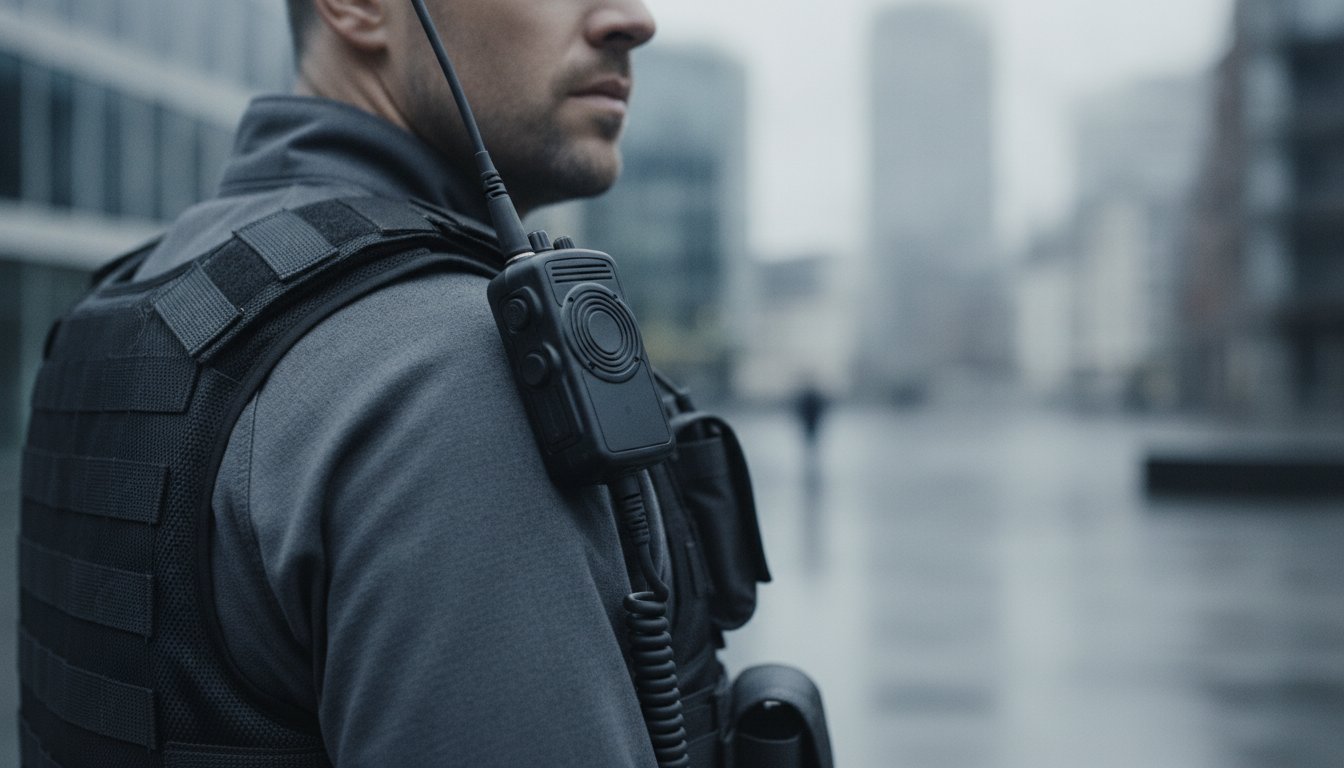
A remote speaker microphone for shoulder use is a rugged peripheral that relocates your radio’s interface to your upper torso. It allows you to broadcast and listen without ever touching the radio securely holstered on your belt. This setup is a fundamental upgrade for anyone working in fast-paced or high-risk environments. By keeping the radio out of the way, you protect the most expensive part of your kit whilst ensuring your hands remain free for more critical tasks.
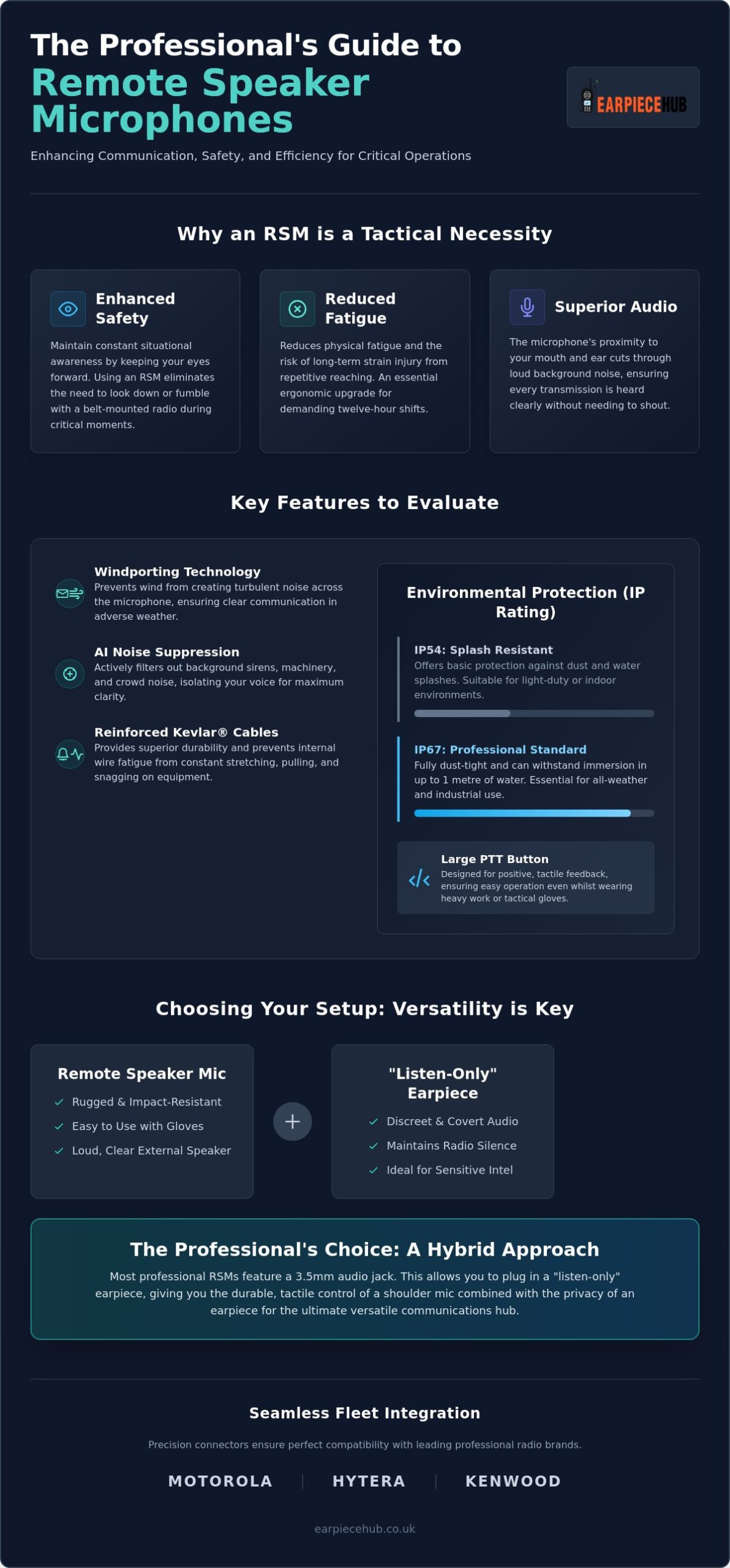
Safety is the primary driver for this equipment choice. In high-stakes situations, looking away for even a second to fumble with a belt-mounted radio is a significant risk. Using a remote speaker microphone for shoulder mounting ensures your eyes stay fixed on your surroundings, whether you’re monitoring a crowd or operating heavy machinery. There’s also a clear ergonomic benefit. Repeatedly reaching for a radio causes unnecessary shoulder and wrist strain over a twelve-hour shift. An RSM eliminates this repetitive motion, reducing physical fatigue and long-term injury risks.
Audio performance also sees a massive boost. Proximity is everything in communication. Because the unit sits near your ear and mouth, you don’t have to shout to be heard, and you won’t miss incoming transmissions in loud areas. When you understand how microphones work, it’s clear that reducing the distance between the sound source and the transducer is the most effective way to cut through background noise and maintain clarity.
Critical Industries for RSM Use
- Security and Door Supervision: Maintain a professional, upright posture whilst staying in constant contact with the control room.
- Construction and Logistics: Essential for workers handling tools or machinery where holding a radio is both impractical and dangerous.
- Event Management: Ideal for coordinating large teams across sprawling, loud festival sites where ambient noise is a constant challenge.
RSM vs. Standard Earpieces
While a covert acoustic tube is excellent for discretion, it can be delicate. RSMs are built for heavy-duty impact and are much easier to operate whilst wearing gloves. Many professionals now opt for a hybrid approach. Most RSM units feature a 3.5mm audio jack, allowing you to plug in a “listen-only” earpiece. This gives you the tactile control and durability of a shoulder mic with the privacy of an earpiece when sensitive information is being shared.
Key Features to Evaluate: Beyond the Push-to-Talk Button
Selecting a remote speaker microphone for shoulder mounting requires looking past the surface. While every model has a PTT button, the internal engineering determines if it survives a demanding shift. Audio clarity is paramount. Look for units featuring “Windporting” technology. This design prevents wind from creating turbulent noise across the microphone grill, a common issue in the unpredictable British weather. Advanced noise-cancelling chips also help isolate your voice from background sirens or heavy machinery.
Build quality defines the lifespan of your gear. High-stress points, like the junction where the cable meets the microphone head, need heavy-duty strain relief. Reinforced cables, often containing Kevlar strands, prevent internal wire fatigue from constant stretching and snagging. This level of durability is a hallmark of professional use of radio equipment where equipment failure simply isn’t an option.
Environmental protection is measured by Ingress Protection (IP) ratings. An IP54 rating provides basic splash resistance, which is fine for indoor use. However, for outdoor security or construction, an IP67 rating is the professional standard. This ensures the device is dust-tight and can withstand immersion in water. Tactile feedback is another critical factor. The PTT button must be large and responsive enough to operate whilst wearing heavy tactical or work gloves. If you need to upgrade your current setup, you can browse our range of professional RSMs designed for maximum durability.
The Importance of the 3.5mm Audio Jack
Most professional RSMs include a 3.5mm jack. This allows you to connect a “listen-only” earpiece directly to the microphone. It’s essential for maintaining radio silence in public-facing roles or when receiving sensitive information. It effectively turns your shoulder mic into a versatile hub for both loud and discreet communications.
Cable Management and Clip Design
The choice between coiled and straight cables depends on your uniform and movement. Coiled cables offer flexibility without excess slack, whilst straight cables can be routed through epaulettes for a cleaner look. A 360-degree rotating clip is non-negotiable. It allows you to mount the mic at the perfect angle on your shoulder or lapel, ensuring the speaker is always directed toward your ear for maximum clarity.
Choosing the Right RSM for Your Radio Brand and Environment
Precision is the most critical factor when selecting a remote speaker microphone for shoulder use. Unlike universal accessories, radio connectors are highly specific to the brand and model series. A mismatch in pin alignment or connector depth will result in intermittent transmissions or a complete failure to broadcast. Whether your fleet uses 1-wire, 2-wire, or complex multi-pin configurations, the physical connection must be secure enough to withstand the vibrations and movement typical of a busy shift.
Brand specifics vary significantly across the industry. Motorola DP series radios often utilise a multi-pin side connector with a screw-in attachment for maximum security. In contrast, Kenwood TK series models frequently use a traditional 2-pin (K1) configuration. If you manage a mixed fleet, cross-compatibility can be a challenge. We provide specialist earpiece adapters for any radio, allowing you to standardise your favourite accessories across different hardware brands without sacrificing performance or audio fidelity.
Your working environment should also dictate your choice. A quiet office coordination role requires a lightweight unit with moderate volume. Conversely, an industrial site or a crowded event demands high-gain speakers and noise-cancelling microphones. Matching the technical specifications of your RSM to your specific site conditions ensures your team remains connected without the need for repetitive transmissions.
Motorola and Hytera Compatibility Guide
For Motorola users, the DP1400 and DP4400 series require different connector types; one uses a 2-pin M1 whilst the other requires a multi-pin connector. Hytera users must be equally cautious. The newer HP series digital radios have specific pin alignments that differ from the older PD series. Always verify your radio’s model number before purchase to ensure a perfect technical fit.
Selecting for High-Noise UK Sites
Industrial zones and construction sites in the UK present unique acoustic challenges. In these settings, a standard microphone will pick up too much ambient machinery noise. You need a remote speaker microphone for shoulder mounting that features a dedicated noise-cancelling element. This technology filters out low-frequency hums and high-pitched clatter, ensuring only your voice reaches the receiver. Testing your audio output levels in situ is a vital step for any health and safety audit.
Maximising Longevity: Maintenance and Accessories
A professional remote speaker microphone for shoulder use is a durable piece of equipment, but its lifespan depends on proactive care. Daily exposure to dust, rain, and physical movement eventually takes a toll on internal components. Establishing a simple maintenance routine prevents premature failure and ensures your team remains connected when it matters most. Reliable gear is the backbone of safe operations, and a few minutes of care each week can extend the life of your kit by years.
Cleaning the microphone grill is the first step. Debris and moisture often clog the mesh, resulting in muffled audio. Use a dry, soft-bristled brush to gently clear the grill; never use sharp objects or compressed air, as these can puncture the sensitive microphone element. Cable care is equally vital. To prevent internal wire fatigue, avoid wrapping the cord tightly around the radio. Instead, store it in loose coils to maintain the integrity of the internal shielding and conductors. This prevents the “memory effect” in the plastic that leads to cracking and exposed wires.
Weekly testing protocols should be standard practice for any security or logistics team. Check that the PTT button provides a firm, tactile click and that the audio remains crisp at high volumes. If you notice crackling or intermittent signals, it’s often a sign of connector wear or cable strain. Regularly swapping out high-wear components like clips can refresh your gear without the cost of a full replacement. We stock a full range of replacement acoustic tubes and ear tips to keep your peripherals in top condition.
Essential RSM Accessories
- Listen-only earpieces: Connect these directly to the 3.5mm jack for private communications in public spaces or sensitive environments.
- Replacement acoustic tubes and ear tips: These are essential for maintaining hygiene, especially when equipment is shared amongst different team members across shifts.
When to Replace Your Remote Speaker Microphone
Even the most ruggedised equipment has a limit. If the outer jacket of the cable shows signs of fraying or if the audio quality has significantly degraded despite thorough cleaning, it’s time for a replacement. Upgrading to newer 2026 models with advanced noise suppression can also provide a measurable boost to team performance. Investing in a new remote speaker microphone for shoulder mounting ensures you aren’t relying on compromised gear during a crisis. Don’t wait for a total communication blackout to refresh your equipment fleet.
Equip Your Team for Operational Success
Selecting the right remote speaker microphone for shoulder use is a decision that directly impacts your team’s safety and situational awareness. By prioritising technical features like IP67 waterproof ratings and Windporting technology, you ensure that clear communication remains possible even in the harshest British weather. Remember that precision in connector choice is vital for maintaining the integrity of your Motorola, Hytera, or Kenwood radio fleet. Proper maintenance and the use of specialist adapters will further protect your investment and extend the lifespan of your equipment.
Earpiece Hub has provided authoritative advice and professional-grade peripherals since 2015. We offer specialist UK support for all major brands and provide next-day shipping for your most urgent requirements. Don’t let poor audio quality or equipment failure compromise your operations. Shop our full range of Professional Remote Speaker Microphones today and experience the difference that specialist equipment makes to your daily workflow. Stay connected and stay safe on every shift.
Frequently Asked Questions
Can I use a Motorola RSM with a Hytera radio?
You cannot use a Motorola RSM with a Hytera radio directly because the pin configurations and connector shapes are proprietary to each manufacturer. Attempting to force a connection can damage the radio’s accessory port. If you need to use specific accessories across a mixed fleet, you must use a dedicated adapter to ensure correct electrical alignment. As a reliable specialist, we provide the technical support needed to help you identify the correct interface for your specific radio model.
What does “Windporting” mean on a shoulder microphone?
Windporting is a specialised housing design that prevents wind from blowing directly across the microphone element. It works by diffusing air through multiple paths, which significantly reduces the roaring sound heard by the receiver during outdoor transmissions. This technology is essential for a remote speaker microphone for shoulder when working in exposed environments like construction sites or coastal security patrols. It ensures your voice remains clear even in gale-force conditions.
Is a remote speaker microphone waterproof?
Waterproofing depends entirely on the unit’s Ingress Protection (IP) rating. A standard professional RSM often carries an IP54 rating, which protects against light splashes and dust. For total water submersion or heavy rain, you require a unit with an IP67 or IP68 rating. Always check the technical specifications of your remote speaker microphone for shoulder to ensure it matches your environmental requirements. High-rated units are built to withstand the most demanding British weather conditions.
Do I need a special licence to use an RSM?
No separate licence is required for an RSM accessory; the legal requirements apply only to the radio unit itself. If you are using licence-free PMR446 radios, no paperwork is required. However, if your organisation uses high-powered professional handsets, you must ensure your OFCOM licence is valid. The microphone simply acts as a peripheral and doesn’t change the radio’s legal operating frequency or power output. It’s a plug-and-play solution for enhanced communication.
What is the difference between an RSM and a lapel mic?
An RSM contains both a high-output speaker and a microphone, whereas a lapel mic is generally a microphone-only component. An RSM is larger and designed for rugged, high-volume environments where you need to hear transmissions clearly without an earpiece. Lapel mics are usually part of a covert earpiece kit and require the user to wear a separate earbud to hear incoming audio. The choice depends on whether you prioritise discretion or audio volume.
Can I plug an earpiece into my shoulder microphone?
Yes, you can plug an earpiece into your shoulder microphone if the unit is equipped with a 3.5mm audio jack. Plugging in a listen-only earpiece automatically mutes the main speaker on the RSM, routing all incoming audio to your ear for increased privacy. This setup is highly effective for security teams who need to maintain radio silence whilst keeping the tactical benefits of a shoulder-mounted PTT button. It offers the best of both worlds for professional users.
