





Uncategorized
3.5 mm Single Earpiece: How to Choose the Right One
Oct
A 3.5 mm single earpiece may look like it will fit your device, but the plug size alone does not confirm compatibility. Connector wiring and the functions you need also matter. For radio use, a receive-only earpiece will not necessarily provide the microphone or push-to-talk control needed to transmit.
If you’ll wear an earpiece for long shifts, comfort and a secure fit matter as much as discretion. This guide explains what a 3.5 mm plug does and does not tell you, and how to compare compatibility, fit and radio-use requirements. Use these details to narrow your choice between a radio-specific earpiece, a universal option or an adapter.
Key Takeaways
- Use your radio’s make, model and documentation to narrow down compatible earpiece options.
- Before choosing a 3.5 mm single earpiece, decide whether you need receive-only audio or also need to transmit speech.
- Compare acoustic tube, D-shape and G-shape styles by fit, wearing duration and work environment.
- Consider universal earpieces and adapters as alternatives when choosing an option for your radio setup.
What is a 3.5 mm single earpiece and what does it do?
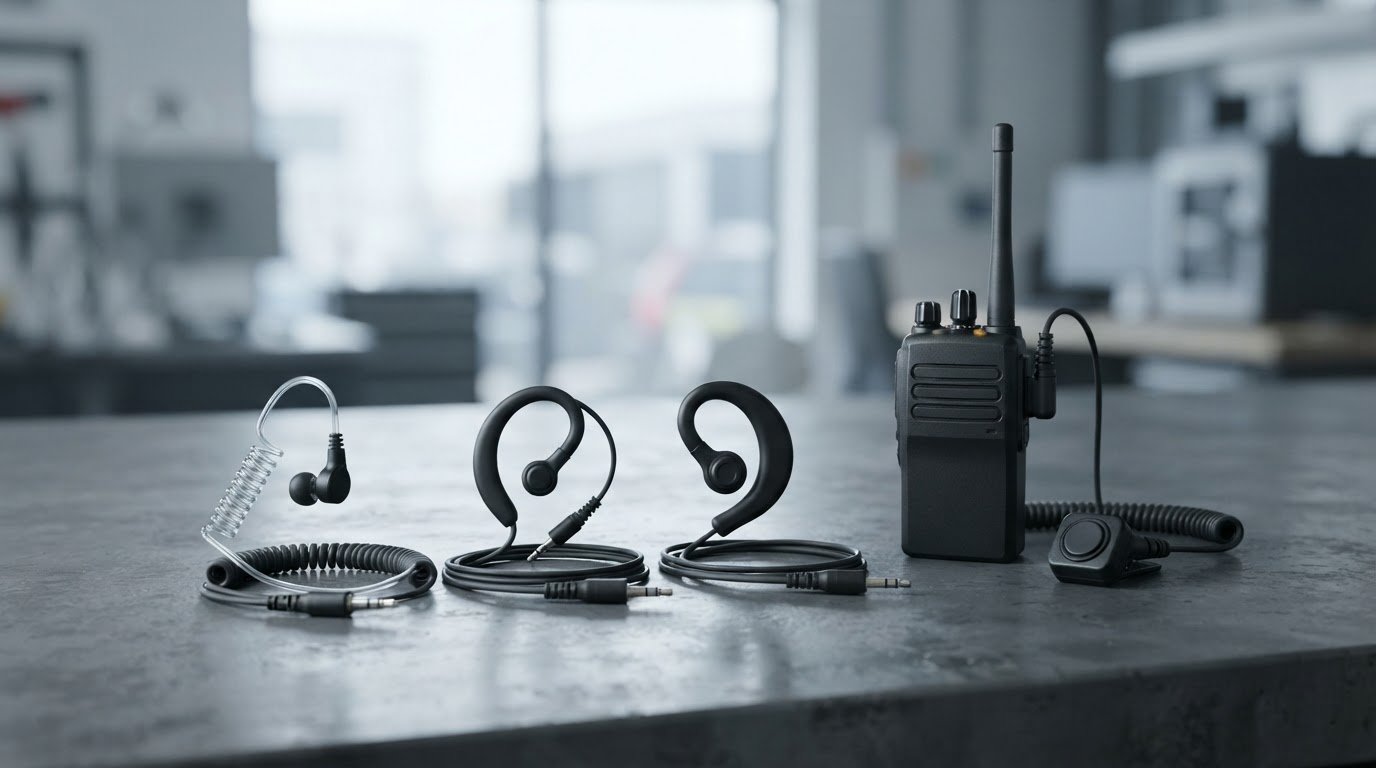
A 3.5 mm single earpiece is a single-ear listening accessory that connects to equipment through a 3.5 mm audio plug. In a two-way radio setup, it may let you hear incoming audio while leaving your other ear uncovered. That can be useful when you need to stay aware of what is happening around you, but the earpiece’s appearance does not show which radio functions it supports.
Receiving and transmitting are separate functions. An earpiece can deliver sound to you, while transmitting speech depends on a suitable microphone and the radio’s transmit controls, such as a push-to-talk control. Do not assume that a listening earpiece includes a microphone or enables transmission. Check how the complete accessory setup is designed to work with your radio.
What does a 3.5 mm plug tell you about an earpiece?
The plug describes the physical connection size. It does not guarantee a match with every device that has a 3.5 mm socket. Phone connectors can use different contact arrangements, as outlined in Phone connector (audio). With radio accessories, the connector format, wiring and intended function can all affect whether audio works as expected. Use your radio’s documentation and model details to guide your choice of earpiece or adapter.
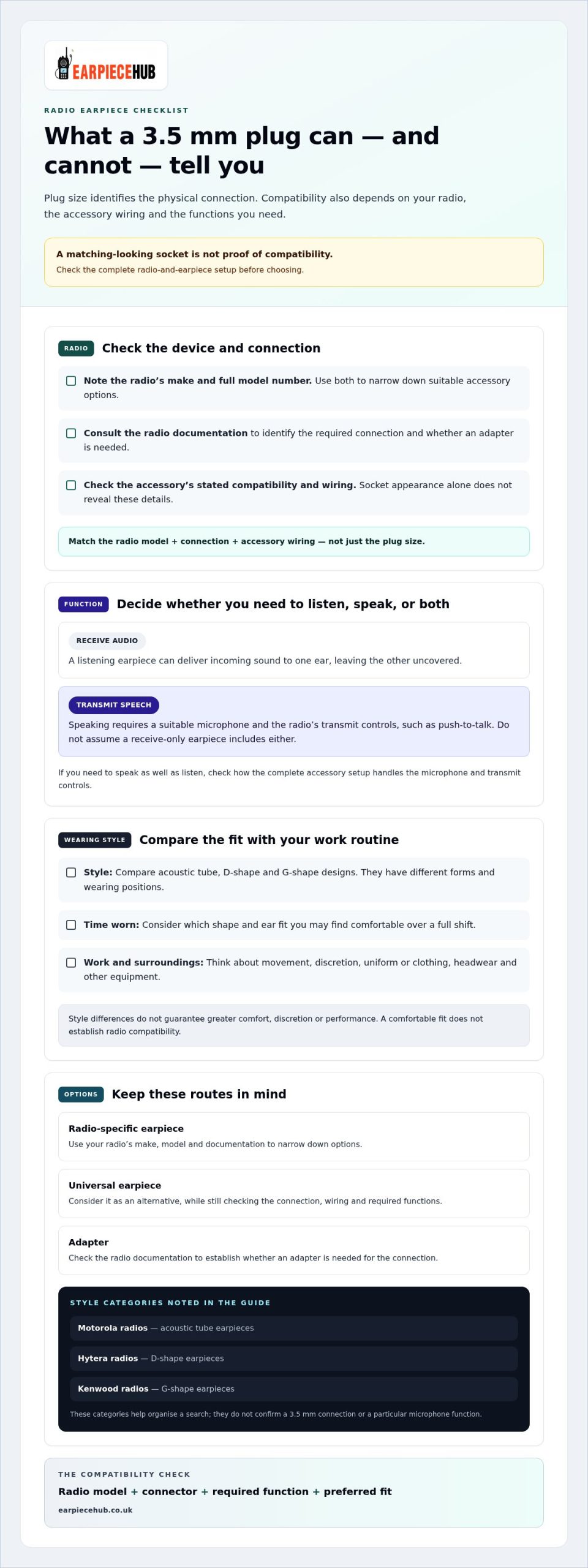
A 3.5 mm plug tells you the connection size, not whether the earpiece is compatible with your radio. Treat compatibility as a match between the radio, the accessory connection and the functions you need. For receive-only audio, focus on the listening path. If your work also requires speech transmission, consider how the complete setup handles the microphone and transmit controls. This helps you compare options without relying on the plug alone.
How to compare a 3.5 mm single earpiece before you buy
Compare the radio and the job together, rather than choosing by plug size alone. Note the radio’s exact make and model, the connection specified in its documentation, whether you need to listen or speak as well, and how you want the earpiece to sit. These details help you build a shortlist and distinguish a suitable radio accessory from an earpiece intended for another device.
| What to compare | What to establish |
|---|---|
| Device model | Record the radio’s make and full model number. |
| Connector | Use the radio documentation to identify the required connection and whether an adapter is needed. |
| Receive or transmit | Decide whether you need incoming audio only or a setup that also lets you speak. |
| Wearing style | Compare acoustic tube, D-shape and G-shape styles for fit, comfort and discretion. |
Which compatibility details should you check?
A socket’s appearance does not identify an accessory’s wiring, intended function or compatibility. Microphone and push-to-talk requirements depend on the complete radio-and-earpiece setup. Check the radio manual and model details, then compare them with the earpiece’s stated compatibility and function.
Match the radio model, connector, accessory function and wearing style before you buy. If you need to speak as well as listen, check how the setup handles both. A single-ear design alone does not mean the accessory includes a microphone or transmit control.
Fit becomes especially important over a full shift. An acoustic tube may suit you if you prefer that style, while D-shape and G-shape earpieces sit differently. Consider your surroundings, how long you’ll wear the earpiece and whether it stays comfortable as you move. To compare options by radio brand and style, browse radio earpiece categories.
Choose a single earpiece style for your radio setup
Style affects how an earpiece sits and feels during a shift. An acoustic tube connects the earpiece assembly to the ear with a tube, while D-shape and G-shape options have different forms and wearing positions. These are design differences, not guarantees of greater discretion, comfort or performance. Choose a style based on the fit you prefer and the demands of your work.
Think about how long you’ll wear the earpiece, whether you want a low-profile setup and what you’ll be doing as you move. A style that feels suitable for a short task may feel different over a full shift. Clothing, headwear and other equipment can also affect how an earpiece sits. Keep your radio model in mind as you compare styles, since a comfortable fit does not establish compatibility.
Match the earpiece style to the way you work
Start with the wearing experience you want, then narrow your options to a radio-compatible category. Earpiece Hub offers acoustic tube earpieces for Motorola radios, D-shape earpieces for Hytera radios and G-shape earpieces for Kenwood radios, as well as universal earpieces. These categories help organise your search, but they do not identify a 3.5 mm connection or a particular microphone function.
- Long shifts: Consider which shape and ear fit you’re likely to find comfortable over time.
- Discreet wear: Compare how visible the earpiece and cable may be with your usual uniform or clothing.
- Active work: Consider how the earpiece sits as you move and whether it works with your other equipment.
Once you’ve identified your radio brand and preferred wearing style, browse Earpiece Hub’s earpiece range to compare radio-specific and universal categories. Choose an option that suits your setup and work routine, rather than relying on appearance alone.
Find the right fit for your radio setup
Choose with your actual work routine in mind. A 3.5 mm single earpiece needs to suit the radio and the way you communicate, not just appear to fit. Earpiece Hub specialises in professional radio communication accessories, including earpiece categories for Motorola, Hytera and Kenwood radios, along with universal earpieces, adapters and replacement ear tips.
Use your radio model and preferred wearing style to compare options for your setup. Browse Earpiece Hub’s radio earpieces to find a style that fits your everyday radio use.
Frequently Asked Questions
Is every 3.5 mm single earpiece compatible with every two-way radio?
No. A 3.5 mm single earpiece will not automatically work with every two-way radio. Radios can have different accessory connections and requirements, so identify the exact make and model before choosing. Two radios with sockets that look alike may still need different accessories. Use the radio manual or model information to guide your selection.
Can a 3.5 mm single earpiece transmit as well as receive?
Only if the complete accessory setup supports both functions. Some earpieces are intended for listening, while transmitting speech requires a microphone and a way to activate the radio’s transmit function. If you need to speak without holding the radio, check that the compatible setup includes a microphone and push-to-talk control rather than assuming the earpiece provides them.
Can I use a 3.5 mm single earpiece with a smartphone?
Possibly, if the phone has a suitable audio socket or works with an appropriate adapter. A listening earpiece may let you hear audio, but microphone and call-control functions depend on the earpiece, connector wiring and phone. If your phone has no 3.5 mm socket, its adapter may also affect compatibility. Check the phone and adapter specifications before relying on the setup for calls.
How should I keep a single earpiece hygienic when it is used regularly?
Clean the parts that touch your ear regularly, and clean an earpiece before sharing it. Follow the accessory’s care instructions. If it has a removable ear tip, clean or replace that part as directed. Keep moisture away from the connector and electronic components, and let cleaned parts dry fully before use. Replace worn or damaged tips.
