




Uncategorized
Single ear radio headset options for walkie-talkie users

Nov
A headset that covers both ears isn’t automatically the clearest choice. A single ear radio headset can help you hear incoming walkie-talkie messages in noisy surroundings while keeping radio audio less audible to people nearby. It won’t improve how your voice sounds to others, and it must match your radio’s audio socket.
Choosing between one earpiece and two depends on how you work. If you need one ear free to hear what’s happening around you, a single-sided option may suit you; if you want audio in both ears, a dual in-ear headset may be a better fit. This guide explains how earpieces affect listening, what to consider when choosing a style, and how radio compatibility shapes your options.
Key Takeaways
- An earpiece can make radio messages easier to hear in noisy surroundings and help keep conversations from being heard nearby.
- Match the earpiece connection to your radio’s audio socket, as connector compatibility varies between makes and models.
- Choose a single-sided headset when keeping one ear free matters; consider a dual in-ear style when you want audio in both ears.
- Compare headset styles and radio compatibility before choosing, as the right fit depends on how and where you use your walkie-talkie.
Why Use Earpieces With Walkie-Talkie Radios?
A walkie-talkie earpiece routes incoming audio to your ear and can help you hear messages in noisy surroundings. The right setup depends on your radio’s socket, the microphone arrangement and whether you wear a helmet.
Earpiece and microphone compatibility
The earpiece carries incoming radio audio, while the microphone picks up your speech for transmission. In a combined headset, both parts need to work with the radio’s audio connection and controls. Check the microphone’s position and how you activate transmission, such as with a push-to-talk control. A poor match can prevent clear speaking or listening, even if the earpiece feels comfortable.
Two-way radio compatibility
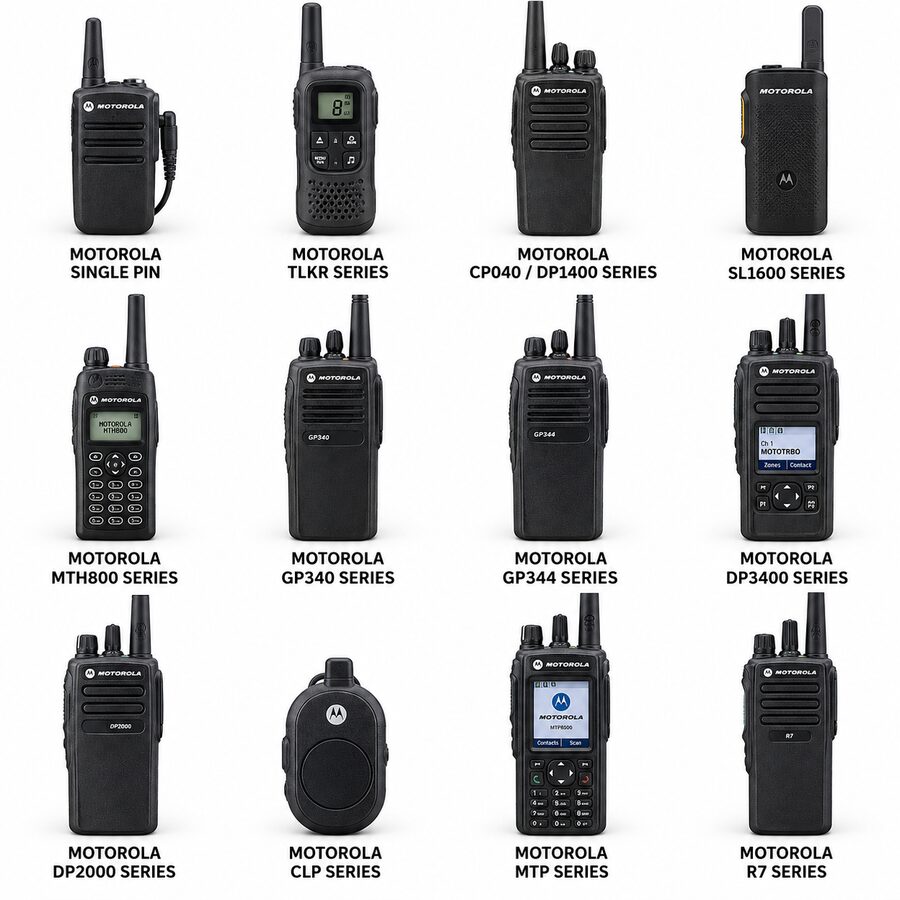
Two-way radios from different manufacturers can use different audio sockets. Match the accessory to your radio’s make and model, rather than choosing by appearance alone. For example, Motorola, Hytera and Kenwood radios may require different earpiece connections. A compatible setup lets incoming messages reach the earpiece and sends your reply through the radio’s microphone. It also avoids relying on a connector that does not fit.
Connector fit matters. Compare the radio’s audio socket with the earpiece connector, including its shape and pin arrangement. An adapter can bridge some connection differences, but it must suit the equipment at both ends.
If you wear a helmet, consider where the earpiece and microphone sit before use. Keep the microphone accessible for speaking, and position the earpiece without disrupting the helmet’s fit. A cable that catches on a strap or clothing can also make movement harder.
For UK driving or workplace use, headset rules depend on the setting and task. Follow applicable workplace instructions, and avoid wearing equipment that distracts you or prevents you from noticing your surroundings.
Choosing single-sided or dual in-ear headsets
Start by considering how much you need to hear beyond the radio. A single-sided headset leaves one ear open for nearby speech, alarms or movement, which can suit tasks where awareness of surrounding sounds matters. Some users also prefer a traditional boom microphone positioned close to the mouth. A conventional over-head headset may suit teams who favour this familiar style.
A dual in-ear headset places an earpiece in each ear. Consider this style if you want radio audio in both ears during a shift. The trade-off is that surrounding sounds may be less prominent. Think about the setting: a busy event floor has different listening demands from a quiet control room. Choose according to the sounds you need to hear alongside radio messages.
Wired headsets connect to the radio with a cable. They avoid Bluetooth pairing, but the cable can catch on clothing or equipment as you move. Bluetooth headsets transmit audio wirelessly, avoiding a cable between the headset and radio. They need a compatible radio or interface, and the headset requires charging and pairing. Your radio’s supported audio options will shape the choice.
Make the decision in three steps: identify whether one ear must stay open, decide whether a boom microphone suits your speaking style, then choose wired or Bluetooth audio based on your radio setup. For example, a user who speaks frequently may favour a boom microphone, while someone moving through a crowded venue may value having one ear open. A single-ear radio headset is a practical choice when one-sided listening best fits your needs.

How much do single-ear radio headsets cost in the UK?
A UK market snapshot collected on 5 November 2026 puts a D-shaped earpiece or ear kit typically between £17 and £25, with a median of about £21. The range covers market offers, not a price for every headset. It was valid until 5 December 2026, so treat it as a dated guide rather than a fixed tariff.
The style and radio connection affect what you’re comparing. A D-shaped earpiece sits around the ear, while a G-shaped design uses an ear hook. A headset with a microphone and push-to-talk control combines listening and transmission hardware. These differences matter more than the single-ear label alone. Compare similar designs, including the connector your radio requires.
Before choosing, follow three checks: identify your radio’s make and model, match its audio connection, then decide which wearing style suits your work. For example, a D-shaped earpiece and a headset with an integrated microphone serve different configurations. A lower headline price is not useful if the connector or wearing style doesn’t meet your needs. Include any separate adapter in your comparison if one is required.
For a practical budget, use the £17 to £25 market range only as a reference for D-shaped earpieces and ear kits. It doesn’t establish the cost of other styles, radio-specific connections or complete headset arrangements. Compare the actual configuration you need, rather than choosing by price alone. Browse radio-compatible options by make and connector to narrow your choice.
Earpiece Hub
Earpiece Hub helps you narrow down radio earpiece choices by style and radio make. Its range includes options for Motorola, Hytera and Kenwood radios, giving you a starting point for matching an accessory to your equipment. Consider the connection and wearing style that suit your role, then choose an option compatible with your radio.
For Motorola users, the Acoustic Tube Earpiece is one available style; Hytera users can consider a D-Shape Earpiece, while Kenwood users can consider a G-Shape Earpiece. A Replacement Battery for Motorola DP1400 is also available if your radio needs a replacement battery rather than a headset.
Contact Earpiece Hub to discuss your radio earpiece requirements.
Choose a headset that fits your next shift
Your choice should support how you communicate throughout the working day, not just fit the radio. Before selecting a single ear radio headset, consider the demands of your role: how often you transmit, which surrounding sounds you need to hear, and how the equipment will sit as you move. These points give you a clearer basis for choosing a practical setup.
Earpiece Hub offers options for different radio makes, including an Acoustic Tube Earpiece for Motorola Radios, a D-Shape Earpiece for Hytera Radios, and a G-Shape Earpiece for Kenwood Radios. These examples can help you focus your choice on your equipment’s brand and your preferred wearing style.
For advice on selecting a suitable headset, contact Earpiece Hub for headset advice. A clear description of your radio and working needs is a useful starting point. Take the next step with confidence and choose equipment that suits the way you work.
Frequently Asked Questions
Can headsets improve speech quality?
A headset can make incoming radio speech easier for you to hear, but it doesn’t automatically improve how your voice reaches others. For clearer replies, use a microphone suited to your radio setup and speak towards it at a steady volume. For example, a boom microphone sits near your mouth, while a lapel microphone clips to clothing. The radio connection also needs to be compatible.
How do I choose the right product?
Start with your radio’s make and model, then identify the connector and how you’ll wear the equipment. Next, decide whether you need a microphone for transmitting or a listen-only earpiece. Someone who mainly receives instructions, for example, has different requirements from a team member who frequently replies. These checks help narrow down suitable styles before you compare products.
What is a single-sided tactical headset?
A single-sided tactical headset has its listening earpiece on one side, leaving the other ear uncovered. The term describes the headset configuration, not a guarantee of a particular radio connection or performance level. Check the individual design for its microphone arrangement and radio connector. This helps distinguish a complete headset from a listen-only earpiece or a separate radio microphone.
When should I choose single-sided over dual in-ear?
Choose a single-sided design if your task involves listening for colleagues, announcements or activity around you while using radio audio. For example, an event steward moving between radio conversations and face-to-face questions may value having one ear uncovered. A dual in-ear design may suit a different listening preference. Consider the sounds and conversations you need to notice during a typical shift.
Which industries use walkie-talkie headsets and earphone solutions?
Walkie-talkie headsets are used in security, events, broadcast, public services, warehouses, hospitality and retail. Communication needs vary: event teams coordinate activity, warehouse staff stay in contact across work areas, and broadcast professionals use radios during production. Match the headset to the role, radio and way the team communicates, rather than assuming one style suits every industry.
