



Uncategorized
Radio Equipment Onboarding: First-Week Checks and Setup

Nov
A radio handover isn’t complete when the equipment reaches a new starter. An onboarding checklist for new radio equipment users should cover radio access, assigned equipment and essential documents, with follow-up checks during the first week. Remove temporary setup access and make sure the employee can use the equipment and systems their role requires.
It’s easy to focus on the first day, but new starters also need time to raise problems and ask for help. This guide explains what to prepare before they arrive, what to test together and which records to keep. It also covers practical checks for radio operation, equipment condition and onboarding paperwork, so new hires can begin with clear instructions and the right access.
Key Takeaways
- Prepare and record the new starter’s radio and related equipment before their first shift.
- During the first week, test role-appropriate access and resolve any equipment or connection issues.
- Keep onboarding documents and equipment records organised, and update them when devices change.
- Give new users practical guidance on radio operation and choose an earpiece suited to their radio brand.
Checking access and equipment during the first week
Use the first week to confirm each employee can use their radio, required software and role-specific systems. Don’t leave new starters to discover missing equipment or access on their own. Managers should schedule a follow-up after the first day.
- Record assigned equipment and access. Keep a central record linked to the employee, and update it when a device is replaced or upgraded.
- Review permissions. Remove temporary setup access and retain only what the role requires, rather than copying another employee’s profile.
- Log faults and support needs. Ask about unsuitable equipment, connection problems and applications the employee cannot access.
What radio licences are required to use radio equipment in the UK? It depends on the radio and its intended use, so establish the applicable authorisation and permitted channels before issuing equipment.
How should users learn radio etiquette, call signs and emergency procedures? Brief them on the organisation’s call signs, clear message format, channel use and emergency escalation route, then practise a sample exchange.
What safety risks and precautions apply to handheld or vehicle-mounted radios? Show users how to avoid distractions, secure equipment and follow workplace procedures. For vehicle-mounted radios, demonstrate how to use the controls without diverting attention from driving.
How should radio equipment be charged, maintained and stored? Follow the equipment’s instructions, use its designated charger, inspect it for damage and return it to an agreed storage point after use.
What checks should managers use to confirm new radio users are competent? Ask each employee to select the correct channel, make a clear test call and explain how to report a fault or lost device.
During the first week, managers should also agree short-term goals and hold a one-to-one check-in. Record any actions alongside the signed contract and other compliance documents, so follow-up supports the employee’s progress.
Preparing and testing equipment before a new hire starts
Plan onboarding around the starter’s arrival date, rather than leaving preparations until that morning. A clear sequence gives the organisation time to prepare each device, set up access and assemble paperwork for office-based and remote team members.
- Choose, reserve or order hardware two weeks before the start date. This gives the organisation time to match equipment to the role and resolve supply or compatibility issues.
- Create the new starter’s identity account, email, software licences and role groups one week before they start. Individual accounts avoid shared logins and give each employee access suited to their work.
- Prepare, tag and record each device a few days before arrival. Record its assigned user and check the equipment is ready for handover.
- Encrypt devices before issuing them. This protects information stored on equipment used in the workplace or remotely.
- Send remote equipment with tracking and require a signature on delivery. This creates a delivery record and helps ensure the starter receives the correct device.
Prepare the paperwork pack alongside the technical setup. Include the employment contract, documented right-to-work checks, bank details for payroll and relevant organisation policies. Track signed documents so any outstanding compliance steps are visible before the first shift.
Send a welcome email to team members with the starter’s name and preferred form of address. Include their start arrangements, named manager and first-day contact, so they know where to go and whom to approach.
Before handover, test the device’s basic functions and confirm the starter can sign in to essential software. A radio equipment setup plan should make those checks part of the onboarding schedule, supporting a smooth start and helping the new employee become productive.
For SMEs, IT onboarding preparation should begin 2-4 weeks before a new employee’s start date, leaving time to complete setup before the first day and verify individual access.

What training do new radio equipment users need before operating radios?
Train each new user on the radio and procedures they’ll use at work. Demonstrate one task at a time, then ask the employee to repeat it. For example, show how to select the assigned channel, adjust the volume and make a clear test call. This practical approach can reveal confusion before the employee relies on the radio during a shift.
- Practise a routine exchange. Have the user identify themselves, give a short message and pause to listen, so they understand the team’s call signs and radio etiquette.
- Explain urgent communications. Walk through the organisation’s emergency procedure, including which message to give and who should receive it.
- Cover faults and lost equipment. Show how to report poor audio, a damaged radio or a missing device, and name the person or team to contact.
- Demonstrate care and storage. Show where radios are kept and how the workplace expects them to be handled between shifts.
- Check safe use in context. Explain workplace precautions for handheld and vehicle-mounted radios, and demonstrate the approved way to use them in each setting.
Finish with a practical competency check, not just a signature on a training record. Ask the employee to make a test call, follow a sample instruction and explain what they’d do if the radio stopped working. Correct any missed steps, then repeat the check. Record the training date, topics covered and any follow-up needed. Managers can review these notes during the first-week check-in to identify gaps and arrange further practice before the employee uses the equipment independently.
Before independent use, ask each new employee to explain what to do if a device is lost and identify whom to contact if something feels wrong. This confirms they can follow workplace guidance rather than hesitate or guess when an issue arises.
Earpiece Hub
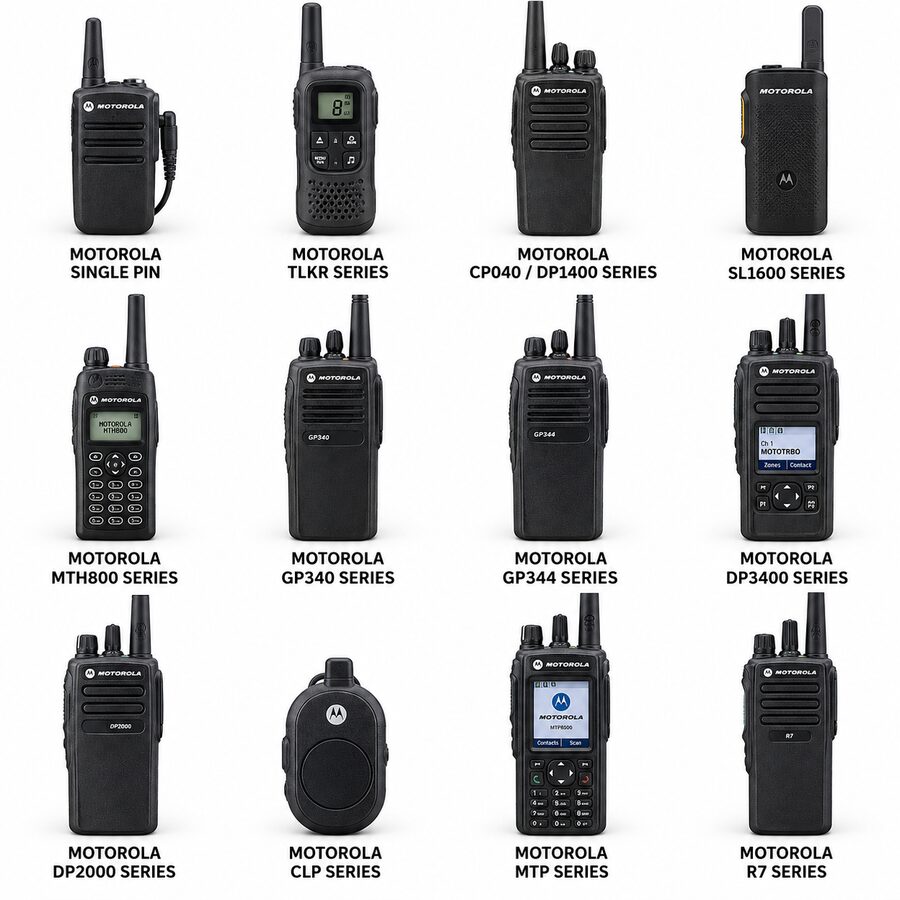
Earpiece Hub supplies accessories matched to radio brands. For Motorola radios, the range includes an Acoustic Tube Earpiece; Hytera users can choose a D-Shape Earpiece, while Kenwood users can choose a G-Shape Earpiece. Matching the accessory to the radio helps teams prepare consistent equipment for handover and training.
If a Motorola DP1400 needs a replacement battery, Earpiece Hub also offers one. Identify the radio model and the accessory needed when planning equipment for a new starter. This helps keep the handover focused on compatible equipment, alongside the organisation’s own checks for access, operation and safe use.
Contact Earpiece Hub to discuss radio accessories for your team.
Keep radio onboarding ready for the next starter
Treat an onboarding checklist for new radio equipment users as a working record, not a one-off form. Update it whenever a radio, accessory or team procedure changes, so managers can give each new starter guidance that matches the equipment they’ll use.
The right earpiece can also support a clear, practical setup. Earpiece Hub offers an Acoustic Tube Earpiece for Motorola Radios, a D-Shape Earpiece for Hytera Radios and a G-Shape Earpiece for Kenwood Radios. Match the accessory to the radio your team uses when preparing a new starter’s kit.
For help choosing a radio accessory for your setup, contact Earpiece Hub. A considered handover gives new users a clearer start and helps your team communicate with confidence.
Frequently Asked Questions
What should an onboarding checklist for new radio equipment users include?
Include a named equipment allocation, the employee’s assigned radio and accessories, operating guidance, and a record of who handles faults or loss. Add a handover acknowledgement and a return or replacement process, so equipment responsibility remains clear if the employee changes roles or leaves. Keep radio-related records alongside the organisation’s other onboarding documents.
How do you set up and test a new two-way radio?
Start with the radio’s instructions and the settings approved for its intended use. Check the casing, controls and battery, then switch it on and confirm the display or status indicators behave as expected. Make a test call with a colleague on the correct channel, and confirm both parties can hear and understand the message in the work area.
